• TREND NETWORKS
View Basket
Change location
  • US English
    • EnglishUK English
    • Australian English
    • Canadian English
    • Chinese (Simplified)
    • French
    • German
    • Spanish
  • TREND NETWORKS
  • Where to buy
  • Contact Us
View Wishlist View Basket
  • Products
    • Promotions
    • TREND AnyWARE Cloud
    • Copper Testers
      • CABLE CERTIFICATION
      • LanTEK IV Cable Certifier Series
      • CABLE QUALIFICATION
      • SignalTEK 10G – Copper, Fibre and Network
      • SignalTEK QT Series – Copper, Fiber and Wi-Fi
      • SignalTEK NT 1G – Copper, Fibre and Network
      • SignalTEK CT 1G – Copper
      • CABLE VERIFICATION
      • VDV II Series – Wiremapper
      • POE TESTER
      • PoE Pro – Wiremapper
      • CABLE TRACING
      • Tone & Probe – Amplifier and Tone Generator
    • fiber testers
      • Fusion Splicers
      • FiberMASTER Fusion Splicer Series
      • TIER 1 CERTIFICATION
      • FiberTEK IV – Multimode and Singlemode Optical Loss Test Set
      • TIER 2 OTDR CERTIFICATION & TROUBLESHOOTING
      • FiberMASTER Mini-OTDR – NEW
      • FIBER QUALIFICATION
      • SignalTEK 10G – Copper, Fibre and Network
      • SignalTEK QT Series – Copper, Fiber and Wi-Fi
      • SignalTEK NT 1G – Copper, Fibre and Network
      • FiberMASTER Power Meter / Light Source – New
      • FIBER TROUBLESHOOTING
      • VFF5 – Visual Fault Locator
    • Fusion Splicers
      • Fusion Splicers
      • FiberMASTER Fusion Splicer Series
    • CCTV, Network, Industrial
      • CAMERA TESTER
      • SecuriTEST IP – CCTV Tester
      • CABLE QUALIFICATION
      • SignalTEK 10G – Copper, Fibre and Network
      • SignalTEK QT Series – Copper, Fiber and Wi-Fi
      • SignalTEK NT 1G – Copper, Fibre and Network
      • POE TESTER
      • PoE Pro – Wiremapper
    • Network Testers
      • NETWORK TROUBLESHOOTING
      • SignalTEK 10G – Copper, Fibre and Network
      • SignalTEK QT Series – Copper, Fiber and Wi-Fi
      • LanXPLORER Pro – In-Line LAN Network
      • SIGNALTEK NT – Network transmission tester – Active and passive
      • NaviTEK NT Series – Network and Cable
      • PROFINET
      • NaviTEK IE – Industrial Troubleshooter
      • POE TESTER
      • PoE Pro – Wiremapper
      • ENTERPRISE and WAN
      • UniPRO MGIG1 Series – Telco
    • Photonics
      • Optical to Electical (O/E) Converters
      • TIA Series
      • Fiber Optic Links
      • LTX Series
      • Optical Choppers
      • C995 Series
      • Laser Tachometer
      • LT-880
    • Renewed
    • Accessories
  • Featured Promotions
    • Featured Promotions
    • Featured Bundles
  • TREND AnyWARE Cloud
    • Sign In
    • Learn More
  • Latest News
    • Events
    • Press Coverage
    • Latest news
  • Support
    • Product Registration
    • Lifetime Support Promise
    • Sapphire Care Plan
    • Manuals, Software and Brochures
    • Service & Warranty
    • Superseded Products
  • TREND Academy
    • TREND ACADEMY LOGIN
    • Courses
    • Learning Hub
    • Webinars
  • Market Segments
  • Where to buy
  • Contact
  • Wishlist
  • Basket

Power Play: Stop Guessing Your PoE Limits with the SignalTEK QT Pro

Date: Wednesday 5th NovemberTime: 15:00 – 16:00 GMT Is Your PoE Supply on the Edge? ...

Read more
SignalTEK QT NOV Webinar 2025 US 1

TEKSGiving: A Weekend of Connection, Care, and Community 💜

This past weekend, over 40 dedicated volunteers from across North America spanning the West Coast, ...

Read more
TEKSGIVING 900x900 OCT25 1

Depend On Us: Why lifetime support matters for your cable testing equipment

There’s a telling difference between buying a tester and buying peace of mind. You can ...

Read more
LSP banner 3

SignalTEK QT – One tool to simplify network qualification

If you install, troubleshoot or manage networks, you’ve probably been here: three tools in your ...

Read more
2627 0870 1

Fiber-optic cabling: How much loss is ok? 

By Dan Barrera, Director of Product Innovation, TREND Networks   At TREND Networks, we are frequently ...

Read more
Fiber Optic banner

TREND Networks launches SignalTEK QT Series – a single, cloud-connected tester for copper, fiber and Wi-Fi qualification

TREND Networks has announced the launch of its SignalTEK QT Series, an all-in-one qualification tester ...

Read more
SignalTEK QT Pro 2

Depend On Us Rewards is Back: With Even Bigger Value

As a network installer or engineer, your success is measured in hours, results, and the ...

Read more
DOUR 1400x600 MC Banner US 2

Celebrate with Savings: The LanTEK IV-L Anniversary Promotion

TREND Networks is celebrating an important milestone with an exclusive offer on one of its ...

Read more
LanTEK IV L 900x900 Banner US

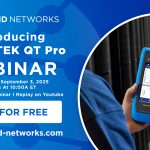
Webinar Wednesday: 5 Steps To Network Troubleshooting Success with SignalTEK QT Pro

Networks are only as resilient as the processes and instruments that support them. If you’re ...

Read more
SignalTEK QT SEP Webinar 2025 US

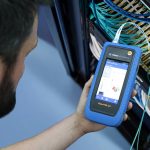
5 steps to troubleshooting network connectivity

Imagine the moment your office falls eerily silent: printers idle, VoIP phones mute and your ...

Read more
Signaltek QT
  • «
  • 1
  • 2
  • 3
  • 4
  • 5
  • 6
  • 7
  • …
  • 38
  • »

CUSTOMER SUPPORT: 973-957-7700 | contactus@trend-networks.com

TECHNICAL HOTLINE: 973-957-7553 |
americastech@trend-networks.com

Useful Links

  • About Trend Networks
  • Latest
  • Where to buy
  • Renewed Testers
  • Careers
  • Shop Terms and Conditions
  • Distributor Terms and Conditions
  • Distributor Registration Program
  • Customer Referral Program
  • Visit our Amazon Store

Products

  • TREND Anyware Cloud
  • Copper Testers
  • Fiber Testers
  • FUSION SPLICERS
  • CCTV, Network, Industrial
  • NETWORK TESTERS
  • PHOTONICS
  • RENEWED
  • amazon

TREND AnyWareâ„¢ App

appstore global

  • Facebook
  • LinkedIn
  • YouTube
  • Instagram
  • TikTok

© TREND Networks | Terms & Conditions | Privacy Policy | Modern Slavery Statement | Website by Molokini Marketing

  • Login
  • Sign Up
Forgot Password?
Lost your password? Please enter your username or email address. You will receive a link to create a new password via email.
body::-webkit-scrollbar { width: 7px; } body::-webkit-scrollbar-track { border-radius: 10px; background: #f0f0f0; } body::-webkit-scrollbar-thumb { border-radius: 50px; background: #dfdbdb }
loading

Please wait while you are redirected to the right page...