Wi-Fi Testing Guide: Tools, Techniques, and Best Practices
Wi-Fi Testing Guide: Tools, Techniques, and Best Practices
Every modern business relies on Wi-Fi. Yet slow speeds, poor coverage, and interference remain common problems. The answer is effective Wi-Fi testing. By testing your network, you can identify issues early and guarantee dependable performance for users and applications.
This guide is designed for network installers, field technicians, site supervisors and network operations staff who want to improve Wi-Fi performance and prevent costly issues.
You will learn what Wi-Fi testing involves, why it matters, the different testing methods, and the tools professionals trust to get accurate results, featuring TREND Networks’ SignalTEK QT Pro.
What is Wi-Fi Testing and Why Does It Matter?
Wi-Fi testing assesses the performance and reliability of a wireless network. It measures:
- Signal strength and coverage
- Throughput and latency
- Interference and channel utilisation
Without proper testing, networks can suffer from slow speeds, dropped connections, and security risks. For installers and IT teams, testing ensures:
- Compliance with design specifications
- Optimised performance for critical applications
- Reduced troubleshooting time
Poor Wi-Fi can impact productivity, customer experience, and even safety in environments where connectivity is mission-critical. Testing helps prevent these issues before they occur.
Types of Wi-Fi Testing
Verification Testing
Confirms the network meets design requirements, such as coverage and SSID configuration. This is often performed during installation or after upgrades.
Qualification Testing
Validates that the network supports intended applications. Tools like SignalTEK QT Pro excel here – testing throughput and performance under real conditions to ensure readiness for VoIP, video conferencing, and data-heavy tasks.
Troubleshooting Testing
Used to diagnose issues such as slow speeds or intermittent connectivity, pinpointing causes such as interference, misconfigured access points, or cabling faults.
Essential Wi-Fi Testing Tools
Professional tools deliver dependable results. Basic apps can’t match the accuracy and reporting capabilities needed for enterprise environments.
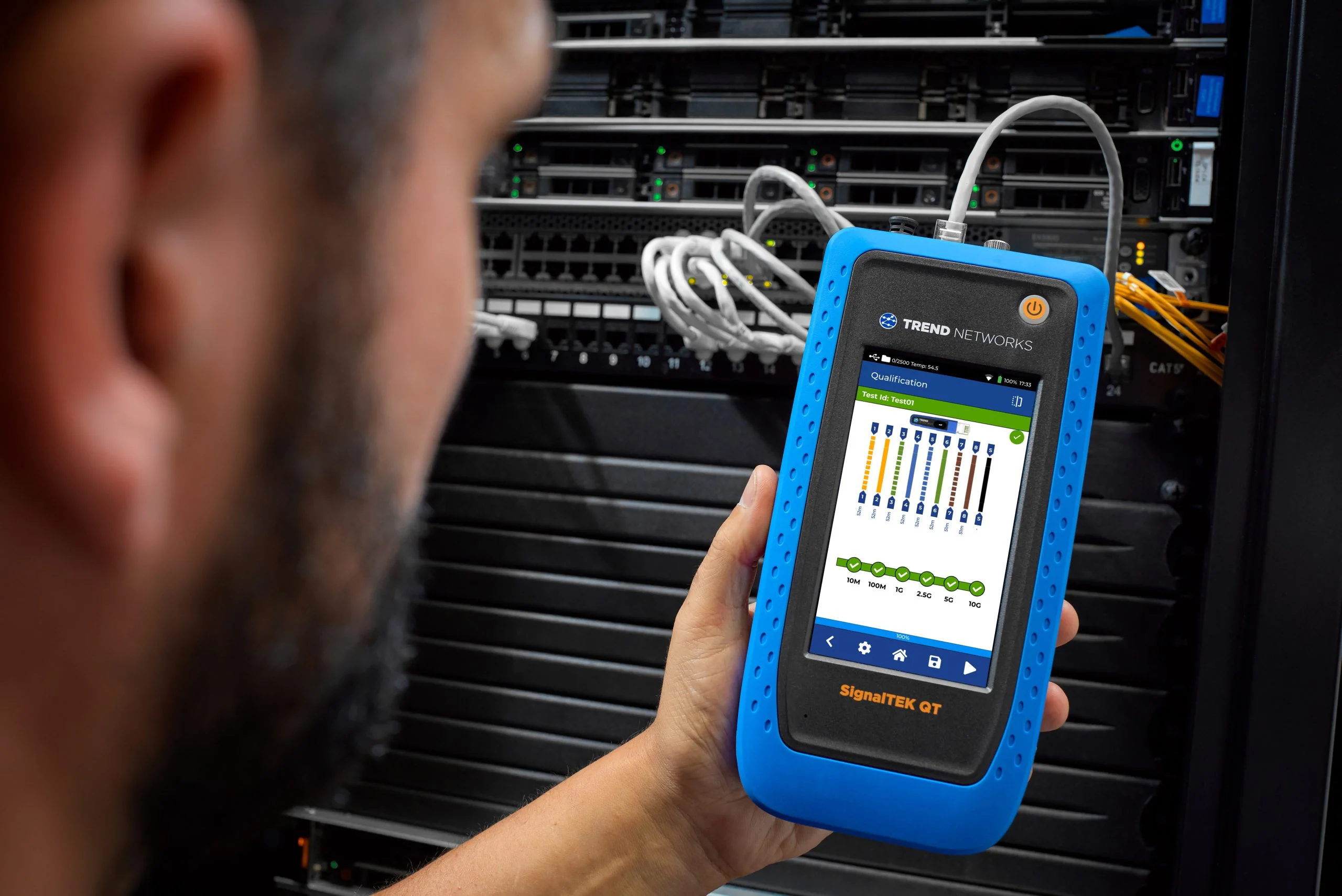
SignalTEK QT Pro – The Ultimate All-in-One Qualification Tester.
TREND Networks’ SignalTEK QT Pro is designed for installers and network engineers who need complete visibility and confidence in their network performance. It’s not just a copper tester, it’s an all-in-one solution for copper, fiber, and Wi-Fi qualification, ensuring your infrastructure is ready for today’s high-speed demands.
Key Features and Benefits
- Copper Cable Qualification: test performance up to 10Gb/s, including Multi-Gigabit speeds (2.5Gb/s and 5Gb/s). Features live wiremap and TDR fault location for rapid troubleshooting, with support for up to 12 remotes for large-scale projects.
- Fiber Optic Qualification: qualify multimode and single-mode fiber links up to 100Gb/s by measuring insertion loss and fiber length. Includes high-accuracy SFP modules and automatic Pass/Fail limits based on IEEE standards.
- Integrated Visual Fault Locator (VFL): quickly detect fiber breaks, bends, or continuity issues using the built-in red laser source.
- Wi-Fi Diagnostics and Access Point Scanning: perform Wi-Fi surveys, identify channel conflicts, analyse utilisation, and locate hidden access points. External antenna support ensures accurate site surveys.
- PoE Load Testing: validate power delivery up to 90W (802.3 af/at/bt) with clear Pass/Fail results—critical for powering IP cameras, access points, and VoIP phones.
- Comprehensive Network Diagnostics: includes ping, traceroute, device discovery, switch port information, and VLAN detection for complete troubleshooting.
- TREND AnyWARE Cloud Integration: pre-configure jobs, manage projects, and share test results securely from the cloud. Enables remote access via TeamViewer and VNC for real-time support.
- Extensive Connectivity Options: RJ45, SFP+, VFL, external Wi-Fi antenna, USB-C, and dual USB-A ports for maximum flexibility.
Why Choose SignalTEK QT Pro?
- Future-proof your testing for 10G copper, 100G fiber, and Wi-Fi networks.
- Reduce downtime with fast, accurate qualification and troubleshooting.
- Deliver professional reports for compliance and client confidence.
- Ideal for installers, service providers, and IT teams managing complex networks.
Wi-Fi Testing Techniques
Combine these techniques for accurate results:
- Conduct Site Surveys: predictive surveys during design and active surveys post-installation confirm coverage and identify dead zones. Use heatmaps to visualise signal strength across the site.
- Measure Signal Strength and Coverage: verify minimum signal thresholds in all areas, especially high-density zones for example, meeting rooms or open-plan offices.
- Check Interference Sources: detect competing signals from neighbouring networks, Bluetooth devices, or microwave ovens that degrade performance. Use spectrum analysis tools for detailed insights.
- Test Throughput and Latency Under Load: simulate peak usage to measure real-world speeds and response times. This ensures the network can handle video calls, streaming, and large file transfers without lag.
- Validate Channel Utilisation: ensure channels are optimally allocated to avoid congestion and overlapping frequencies. This is critical in environments with multiple access points.
- Assess Roaming Performance: confirm seamless transitions between access points for mobile users. Poor roaming can cause dropped calls and interrupted workflows.
- Monitor Packet Loss and Jitter: these metrics are vital for applications like VoIP and video conferencing, where even small delays can impact quality.
Best Practices for Wi-Fi Testing
- Document All Results: maintain detailed records for compliance, troubleshooting, and future upgrades. Professional reports build trust with clients.
- Test During Peak Usage: capture performance under real-world conditions when the network is most stressed.
- Re-Test After Changes: hardware upgrades, firmware updates, or layout changes require fresh testing to confirm continued performance.
- Use Professional Tools: dedicated testers including SignalTEK QT Pro deliver accurate qualification results and save time compared to consumer-grade apps.
- Combine Wired and Wireless Testing: validate the underlying infrastructure before blaming Wi-Fi. Many wireless issues originate from cabling faults or switch misconfigurations.
- Schedule Regular Testing: make Wi-Fi testing part of routine maintenance to prevent issues before they impact users. Quarterly checks are recommended for high-traffic environments.
- Train Your Team: ensure technicians understand testing procedures and how to interpret results. Knowledge reduces troubleshooting time and improves service quality.
Boost Your Network Reliability with TREND Solutions
Wi-Fi testing is essential for delivering fast, reliable, and secure connectivity. By using the right tools and following best practices, you can ensure your network performs at its best.
Ready to optimise your Wi-Fi? Explore SignalTEK QT Pro and other dependable solutions from TREND Networks today.